
Choosing the right office chair can have a bigger impact on your workday than most people expect. The right chair can improve comfort, support posture, and help you stay productive. The wrong one can make your office feel cramped, leave you uncomfortable after a few hours, and make long workdays harder than they need to be.
Many shoppers compare task chairs, executive chairs, and ergonomic chairs without fully understanding how they differ. While these categories overlap in some ways, they are designed for different needs.
If you want the simplest answer, here it is.
- Choose a task chair if you want a compact, affordable chair for lighter daily use.
- Choose an executive chair if you want a larger chair with a polished, professional look.
Choose an ergonomic chair if you want better support, more adjustability, and a chair built for long hours.
This guide explains the differences between the options, their pros and cons, and how to choose the best office chair for your setup.
Quick Answer
If you are deciding between a task chair, executive chair, and ergonomic chair, the best option usually depends on three things:
- How long you sit each day
- How much space you have
- Whether you care most about budget, appearance, or support
Here is the short version.
Best for small spaces
Task chair
Best for a traditional executive office look
Executive chair
Best for long workdays and support
Ergonomic chair
For most people who work at a desk full-time, an ergonomic chair is the best overall choice. For smaller offices or occasional use, a task chair often makes more sense. For formal spaces where visual style matters, an executive chair may be the better fit.
What Is a Task Chair?
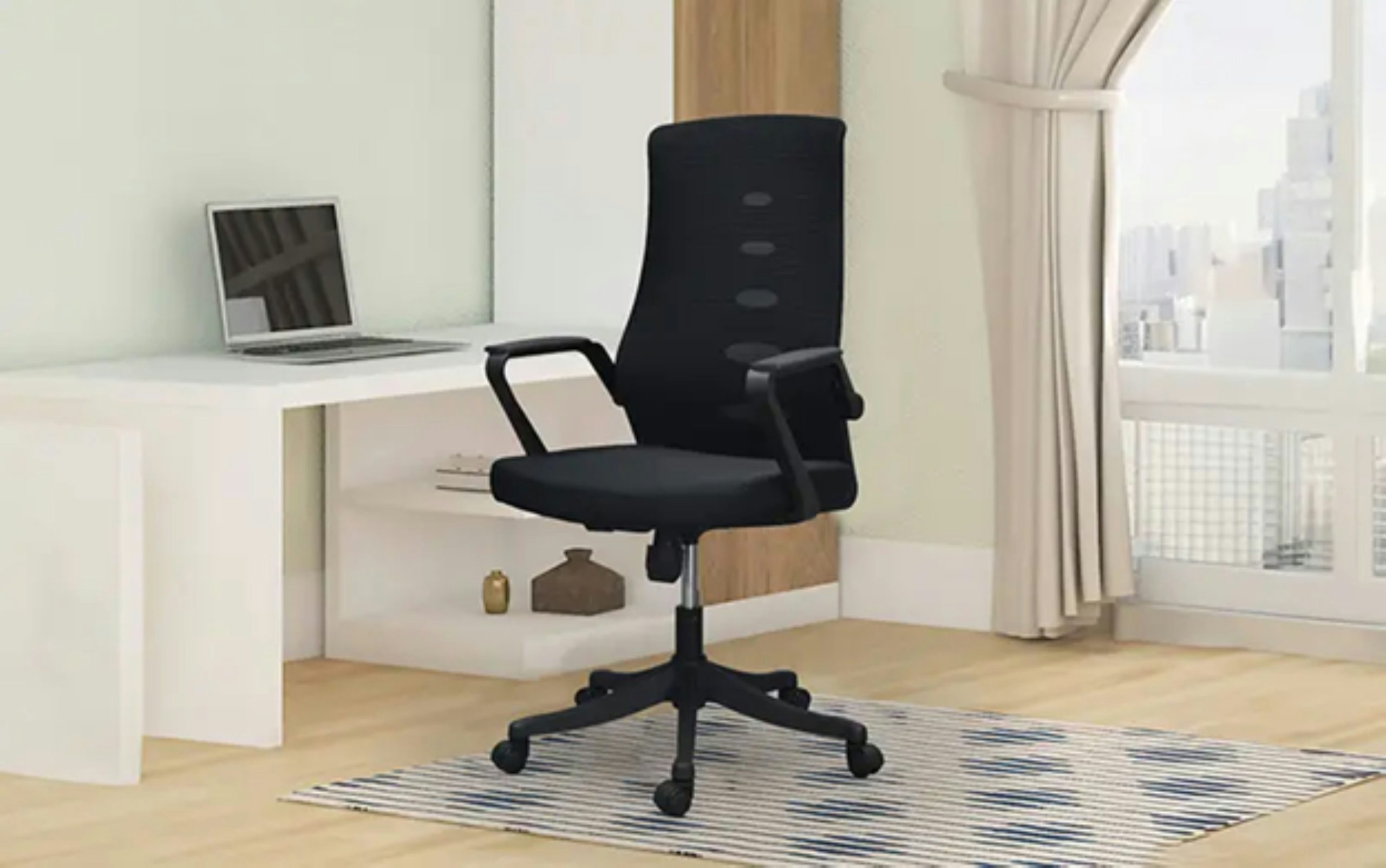
A task chair is a practical office chair designed for everyday desk work. It usually has a smaller frame, rolling casters, swivel movement, and basic height adjustment.
Task chairs are often used in home offices, shared workstations, classrooms, reception areas, and flexible workspaces.
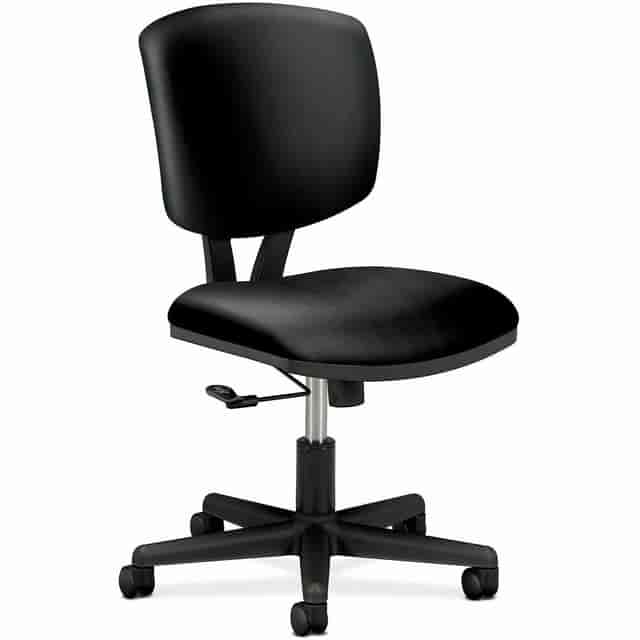
Common task chair features
- Compact design
- Swivel base
- Seat height adjustment
- Rolling casters
- Basic back support
- Limited recline or armrest adjustment on some models
Best for
- Small home offices
- Shared workstations
- Students
- Occasional desk work
- Budget-conscious buyers
Benefits of a task chair
Task chairs are usually more affordable, easier to move, and easier to fit into smaller spaces. They are a practical choice when you need function without a large footprint.
Limitations of a task chair
Many task chairs offer fewer adjustments than ergonomic chairs. Some are comfortable for shorter periods but may not provide enough support for all-day sitting.
What Is an Executive Chair?
An executive chair is a larger office chair designed to offer a more substantial look and a more cushioned feel. It often includes a high back, padded armrests, and upholstery such as leather or faux leather.
Executive chairs are commonly used in private offices, conference rooms, and settings where appearance matters as much as comfort.
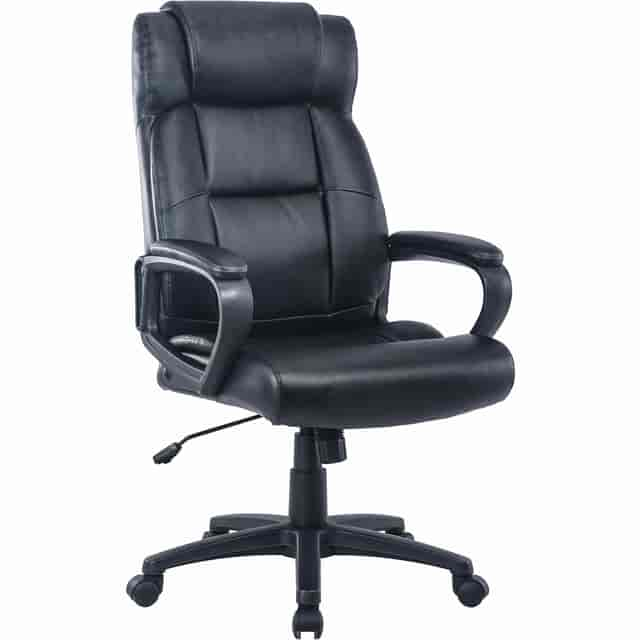
Common executive chair features
- Tall backrest
- Thicker seat and back padding
- Padded arms
- Wider frame
- Leather or faux leather upholstery
- Formal, professional appearance
Best for
- Private offices
- Executive or manager spaces
- Style-focused offices
- Users who prefer a plush seat
Benefits of an executive chair
Executive chairs usually look more luxurious and create a stronger visual presence in an office. They often feel soft and substantial right away.
Limitations of an executive chair
A larger chair is not always better for long-term support. Some executive chairs prioritize appearance and cushioning over adjustability and posture. They can also feel bulky in small rooms and warmer during long sitting sessions.
What Is an Ergonomic Chair?
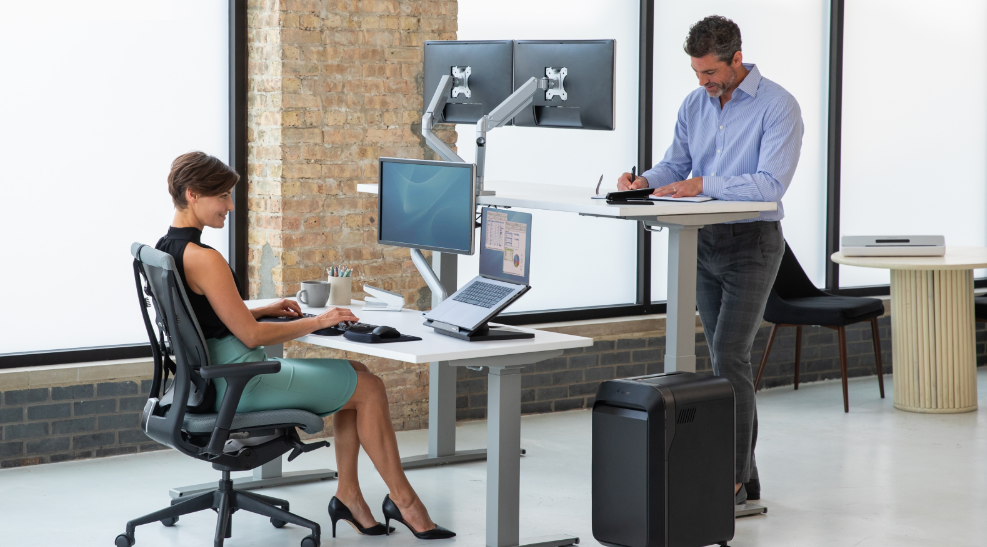
An ergonomic chair is designed to support the body during desk work, especially over longer periods of time. Its main purpose is to improve comfort, posture, and adjustability.
Unlike basic chairs, ergonomic chairs are usually built to adapt to the user rather than forcing the user to adapt to the chair.
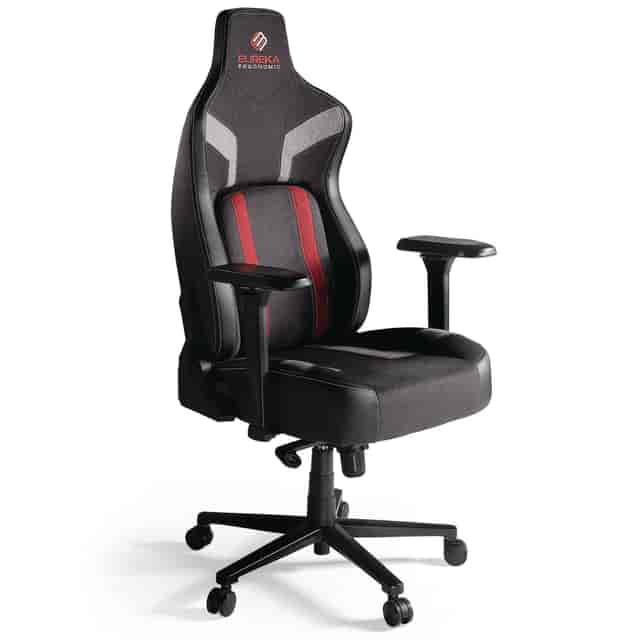
Common ergonomic chair features
- Adjustable lumbar support
- Adjustable armrests
- Seat height adjustment
- Recline and tilt control
- Seat depth adjustment on some models
- Headrest on some models
- Breathable mesh or performance materials
Best for
- Full-time desk workers
- Remote workers
- People who sit for long hours
- Users who want more personalized support
- Buyers focused on posture and comfort
Benefits of an ergonomic chair
Ergonomic chairs are usually the best option for daily support, adjustability, and long-term comfort. They are especially helpful for people who spend most of the day seated.
Limitations of an ergonomic chair
They can cost more upfront. Some also have a more technical look than executive chairs, which may not fit every office style.
Task Chair vs. Executive Chair vs. Ergonomic Chair: Key Differences
Here is the clearest way to compare them.
Task chair
A task chair is usually best for basic desk work, smaller rooms, and lower budgets. It is often the simplest and most space-efficient option.
Executive chair
An executive chair is usually best for visual appeal, plush seating, and a traditional office look. It often prioritizes style and cushioning.
Ergonomic chair
An ergonomic chair is usually best for long hours, body support, and adjustability. It is often the strongest choice for day-to-day performance.
Which Chair Is Best for Your Office Setup?
The best office chair is not just about the product category. It is about how that chair fits your actual workspace.
Best Office Chair for a Small Home Office
If your desk is in a bedroom, apartment corner, or compact office, space matters. A large chair can make the room feel crowded and make movement harder.
A task chair is often the best fit for smaller spaces because it has a smaller footprint and a lighter visual presence. A compact ergonomic chair can also work well if you need more support without taking up too much room.
Best choice: task chair or compact ergonomic chair
Best Office Chair for a Full-Time Home Office
If you work from home every day, your chair needs to support longer periods of sitting. This is where an ergonomic chair usually stands out.
More adjustments can help you fine-tune the chair to your desk height, posture, and work habits. Over time, that can make a real difference in comfort.
Best choice: ergonomic chair
Best Office Chair for a Private Office
If appearance matters and you want a chair that looks substantial and polished, an executive chair can be a good match.
If you also spend long hours at your desk, you may want an ergonomic chair with a more refined design so you get both support and style.
Best choice: executive chair for appearance, ergonomic chair for long-term function
Best Office Chair for Shared Workstations
When multiple people use the same desk or workstation, adjustability becomes more important. An easy-to-adjust chair can work better for different body types and preferences.
Best choice: ergonomic chair
Best Office Chair for Hybrid Work Setups
If you split your time between home and office, your chair should be versatile, comfortable, and easy to use day after day.
Best choice: ergonomic chair
Which Chair Is Best Based on How Long You Sit?
The number of hours you sit each day is one of the most important factors when choosing an office chair.

Under 4 hours a day
A task chair is often enough for lighter use, occasional work, video calls, or short, focused sessions.
Best fit: task chair
4 to 6 hours a day
At this point, comfort and support matter more. A higher-quality task chair may still work, but many users will benefit from an ergonomic chair.
Best fit: ergonomic chair or high-quality task chair
More than 6 hours a day
For long workdays, an ergonomic chair is usually the best choice. This is where lumbar support, arm adjustments, recline control, and seat depth make a bigger difference.
Best fit: ergonomic chair
Task Chair vs. Ergonomic Chair
This is one of the most common office chair comparisons, and for good reason. Many buyers are deciding between a smaller, lower-cost option and a more adjustable, support-focused option.
A task chair is usually better if you want a:
- Lower price point
- Smaller footprint
- Simpler chair for lighter use
An ergonomic chair is usually better if you want:
- More support for long hours
- Better posture alignment
- More ways to adjust the fit
- Stronger long-term comfort
The main takeaway is simple. A task chair can work well for many people, but an ergonomic chair is usually the better investment if your chair is a major part of your daily work routine.
Executive Chair vs. Ergonomic Chair
This comparison often comes down to style versus support.
An executive chair is usually better if you want:
- A traditional office look
- More padding
- A larger chair with visual presence
An ergonomic chair is usually better if you want:
- More adjustability
- Better support during long sitting sessions
- A chair designed around posture and comfort
Some executive chairs do include ergonomic features, but many do not offer the same level of adjustment as a true ergonomic chair.
Task Chair vs. Executive Chair
This comparison is usually about practicality versus presentation.
A task chair is usually better if you want:
- Affordability
- A compact design
- Easy movement in small spaces
An executive chair is usually better if you want a:
- Larger chair
- Premium appearance
- More cushioned feel
If your office is small or you only need a chair for moderate use, a task chair is often the smarter choice. If your office is larger and appearance is important, an executive chair may make more sense.
What Buyers Often Get Wrong
Many people buy office chairs based on first impressions rather than daily use. That often leads to the wrong fit.

More padding does not always mean more support
A chair can feel soft at first and still fall short during long workdays.
Not every task chair is ergonomic
Some task chairs offer decent support, but many have fewer adjustments than a chair specifically designed for long sitting sessions.
Not every executive chair is ideal for long hours
A premium appearance does not guarantee better posture or support.
Expensive does not always mean better
The best chair is the one that fits your body, your space, and your work habits.
How to Choose the Right Office Chair
If you want to choose the right chair with confidence, follow these five steps.
1. Measure your space
Make sure the chair fits your room, desk height, and movement needs.
2. Estimate your daily sitting time
The more hours you sit, the more support and adjustability you are likely to need.
3. Decide what matters most
Think about whether your top priority is price, appearance, comfort, support, or flexibility.
4. Look at the adjustment features
Pay attention to lumbar support, armrest range, seat height, recline, and seat depth when available.
5. Think long term
A chair you use every day should be evaluated based on long-term comfort and value, not just initial cost.
Best Chair by Buyer Type
Here is a simple way to decide based on your priorities.
Best office chair for budget shoppers
Task chair
Best office chair for long workdays
Ergonomic chair
Best office chair for style-focused offices
Executive chair
Best office chair for small spaces
Task chair
Best office chair for back support
Ergonomic chair
Best office chair for flexible or shared workstations
Ergonomic chair
Final Verdict
If you are choosing among a task chair, an executive chair, and an ergonomic chair, there is no one-size-fits-all answer.
A task chair is usually best for lighter use, lower budgets, and smaller spaces.
An executive chair is usually best for a polished appearance and a more traditional office feel.
An ergonomic chair is usually best for long hours, posture support, and everyday comfort.
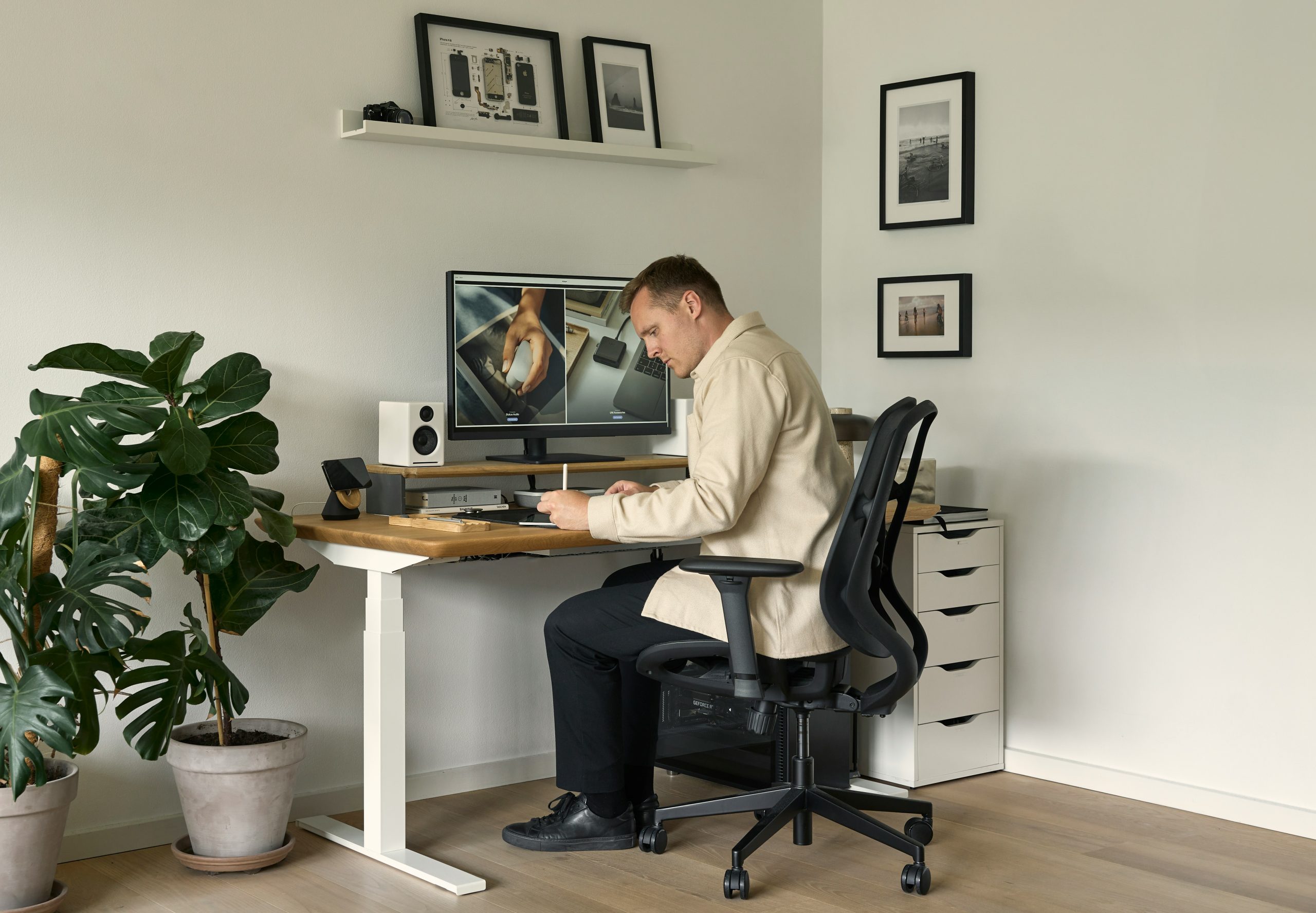
For most full-time desk workers, an ergonomic chair is the best overall investment. For occasional work or compact spaces, a task chair often makes more sense. For offices where style is a top priority, an executive chair can still be the right choice. If you are ready to compare styles for your workspace, browse our full selection of office chairs to find options for small offices, executive spaces, and long workdays.
The best office chair is the one that matches how you actually work. If you spend most of your workday seated, our guide on how to choose the best office chair for long hours can help you narrow down the features that matter most.
Frequently Asked Questions
What is the difference between a task chair and an ergonomic chair?
A task chair is usually a simpler office chair designed for general desk work. An ergonomic chair is designed with more support and adjustability for longer sitting periods.
Are executive chairs good for back support?
Some are, but not all. Executive chairs often focus on appearance and cushioning. If back support is your top concern, an ergonomic chair is usually the better choice.
What is the best office chair for a home office?
For occasional use or smaller spaces, a task chair can work well. For full-time, work-from-home setups, an ergonomic chair is usually the better option.
Which chair is best for long hours at a desk?
An ergonomic chair is usually the best choice for long workdays because it offers more support and adjustment options.
Is an ergonomic chair worth it?
For people who spend several hours a day at a desk, an ergonomic chair is often worth the investment because it can offer better comfort, support, and long-term value. For more affordable options, check out our top ergonomic office chairs under $300 in 2026.